Mobile Trader
Trade on-the-go with the innovative mobile versions of the Meta Trader 4 on your devices.
Experience the possibility of placing instant orders directly with the one-click trading option. Place pending orders at any time and monitor your open trades easily. The mobile trading platform also provides you with an option to modify your open positions, monitor real-time quotes and view and analyse your trading history.
Operate with as many time-frames as possible, set Stop loss and Take Profit levels and use more than 30 popular technical indicators along with 24 analytical objects: lines, geometric shapes, as well as Gann, Fibonacci and Elliott tools.
Step 1
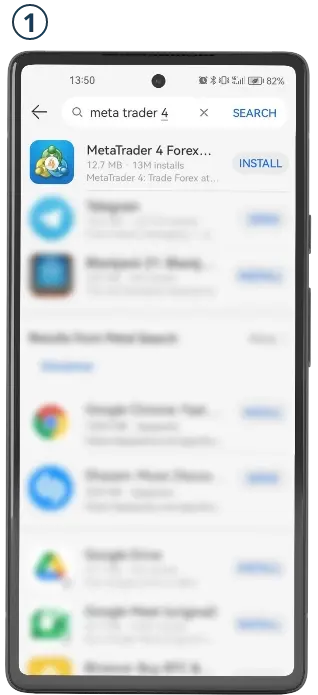
Search for “MetaTrader 4” in your AppGallery or download the MetaTrader 4 app for Huawei devices via LMFX.
Step 2
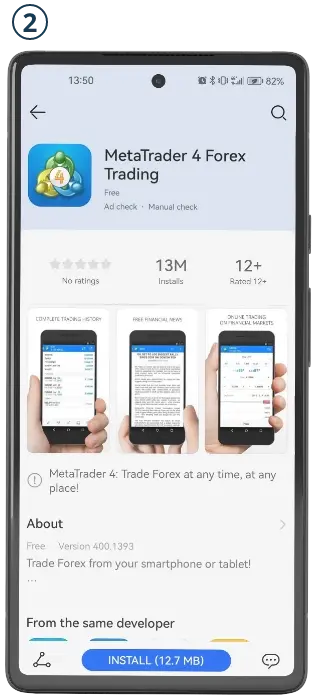
Tap on Install and once the download and installation are completed, open the application.
Step 3
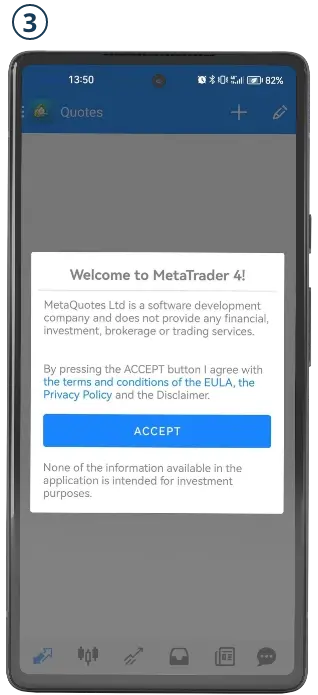
When the MetaTrader 4 application is launched accept the ToS services which will pop up onscreen.
Step 4
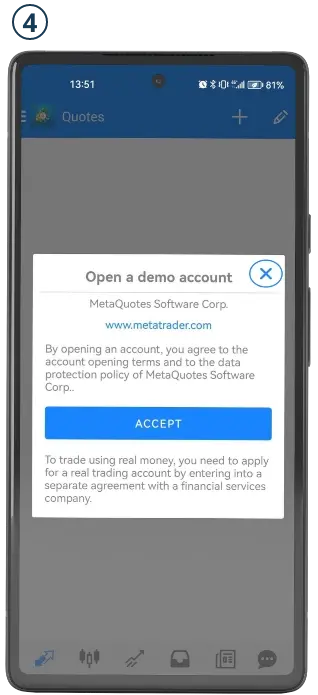
Once you have accepted the ToS a second window will appear - Make sure to close that window in order to see the “Login to an account” screen.
Step 5
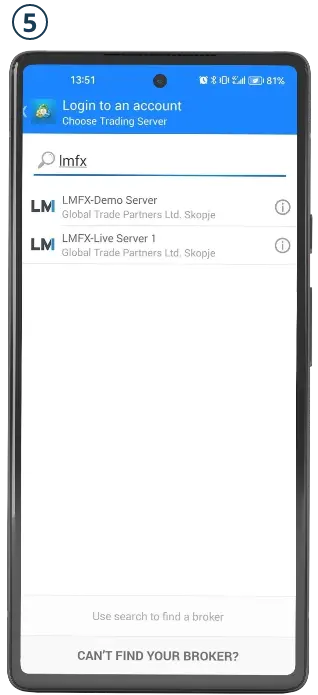
Search for “LMFX” and select the server of your preference from the company's live and demo servers.
Step 6
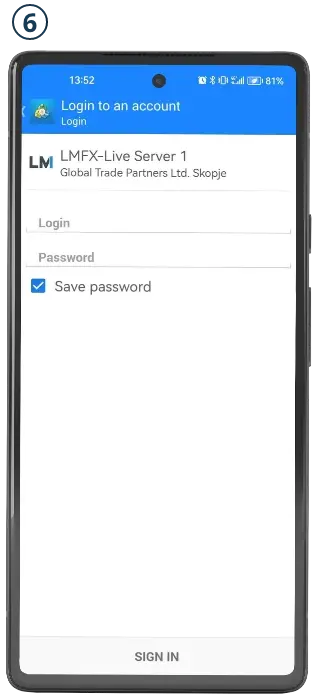
Enter your account credentials (Trading Account ID and Traders password) as provided to you after opening the account through the LMFX wallet and tap on the “Sign In” button. If you haven’t opened trading account yet, create your LMFX live or demo trading account to get started.
You’re done!
You are now ready to trade on your Huawei device. Go ahead and make the trade.


Risk Warning: Contracts for Difference (‘CFDs’) are complex financial products that are traded on margin. Trading CFDs carries a high level of risk since leverage can work both to your advantage and disadvantage. Trade responsibly: 71.11% of retail investor accounts lose money when trading CFDs with this provider. As a result, CFDs may not be suitable for all investors because you may lose all your invested capital. You should not risk more than you are prepared to lose. Before deciding to trade, you need to ensure that you understand the risks involved taking into account your investment objectives and level of experience. All information on this website is not directed toward soliciting citizens or residents of the United States, United Kingdom, Japan or any other jurisdiction that would be contrary to local law or regulation. Past performance of CFDs is not a reliable indicator of future results. Most CFDs have no set maturity date. Hence, a CFD position matures on the date you choose to close an existing open position. Seek independent advice, if necessary. Please read LMFX’s full ‘Risk Disclosure Statement’.
Please note that the availability of the products or services on this website is subject to jurisdictional limitations. LMFX.com may not offer certain products, features and/or services on in certain jurisdictions due to potential or actual regulatory restrictions.
Financial services via MetaTrader platform are provided by Global Trade Partners Ltd. Skopje. Global Trade Partners Ltd., Reg number 7020600, Risto Ravanovski 13a, 1000, Skopje, Macedonia || Payment services are provided by GTP Global Solutions Ltd. Suite 305, Griffith Corporate Centre, Beachmont, P.O. 1510, Kingstown, Saint Vincent and the Grenadines || Crypto payments and trading services are offered by Live Markets LLC., a company incorporated in Comoros Union with Company number HY01023439 and Brokerage License Number: T2023402 || Other products or services offered or advertised on this website provided by other group companies does not fall within the Live Markets LLC regulated services.